Patriot 6.14.4 Released
We are excited to announce the release of Patriot 6.14.4.
Building upon Patriot 6.14.3.1 this release includes the following new features:
- Client Custom Fields ⭐
- Action Plan Redirect Rules ⭐
- Zone Groupings
- Client User Groupings
- Other improvements and bug fixes
Visit Patriot Downloads to update.
Key Highlights
Client Custom Fields
Clients often carry additional information that doesn't fit Patriot's standard client fields. Patriot now supports Custom Fields — pre-configured fields that store structured, formatted information which can be displayed, searched and reported on. Each monitoring centre can define the fields that suit its own operation.
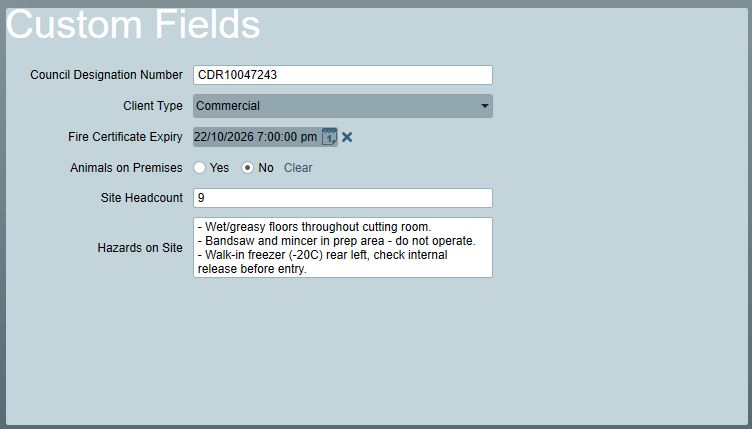
Action Plan Redirect Rules
Action Plans can now redirect to an alternative Action Plan based on an ordered list of Redirect Rules, configured globally on the Action Plan itself. Each rule names an alternative Action Plan and may combine multiple conditions. The first matching rule applies. Supported conditions test the alarm signal's:
- Client status
- Scheduled client status
- Client group
- Zone group
- User group
More condition types are coming in future releases.
Previously, redirecting to another Action Plan meant configuring an Override on each zone, user, client or dealer individually. The same override was often duplicated across every zone, user or client that needed it, creating a data entry and maintenance burden. Redirect rules are configured once.
The existing Scheduled Actions feature has been rolled into Redirect Rules. Existing Scheduled Actions are migrated automatically — no action is required.
Action Plan Overrides remain available at zone, user, client and dealer level where custom behaviour is needed. Overrides are applied before redirect rules.
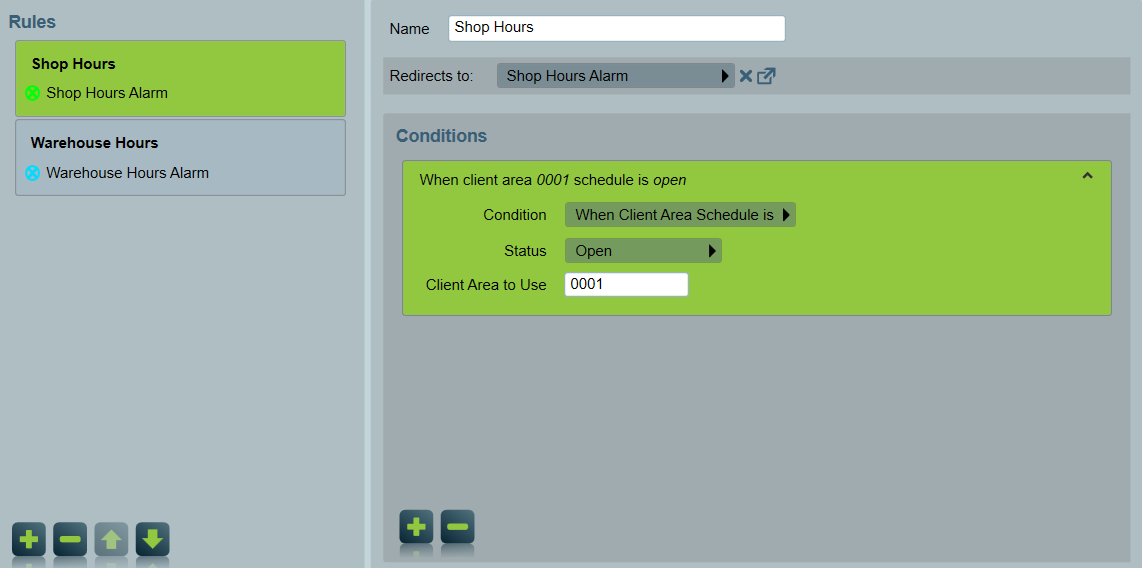
This sample shows the Rules tab set up with two rules, one for the Shop and one for the Warehouse. Each rule checks whether its area is currently open for business, and redirects the alarm to that area's keyholder for verification.
Zone Groupings
Custom Zone Groups can now be created and assigned to Zones. Zone group is one of the condition types supported by the new Action Plan Redirect Rules, so the two features work together to simplify zone data entry. Loading a zone no longer requires consideration of Action Plan assignments or overrides — assign the groups that apply (e.g. PIR, Smoke, High Priority) and any redirect rule matching those groups applies automatically. Individual zone Action Plan overrides are still available for zones that need them.
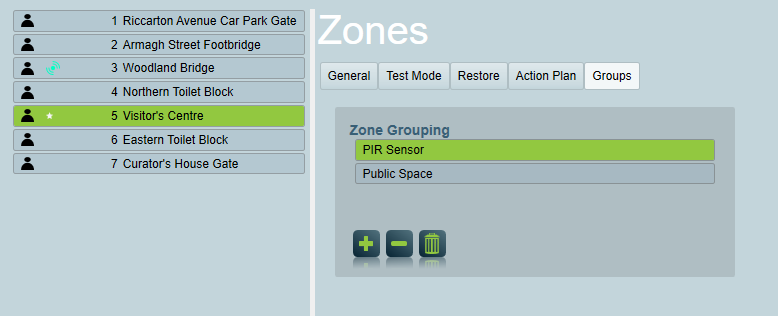
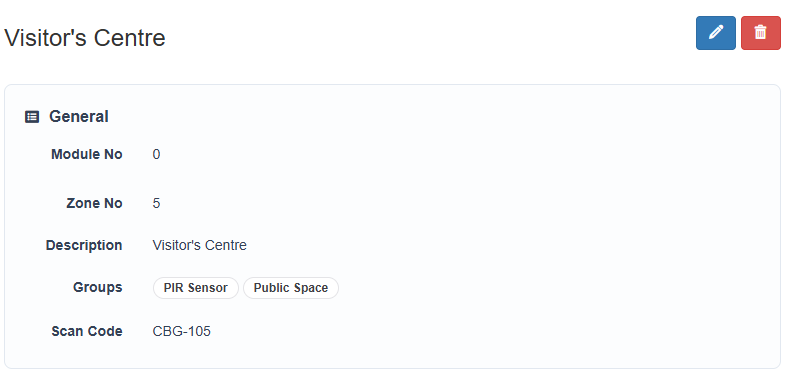
Zone groups are also available for use in GraphQL Reports
Client User Groupings
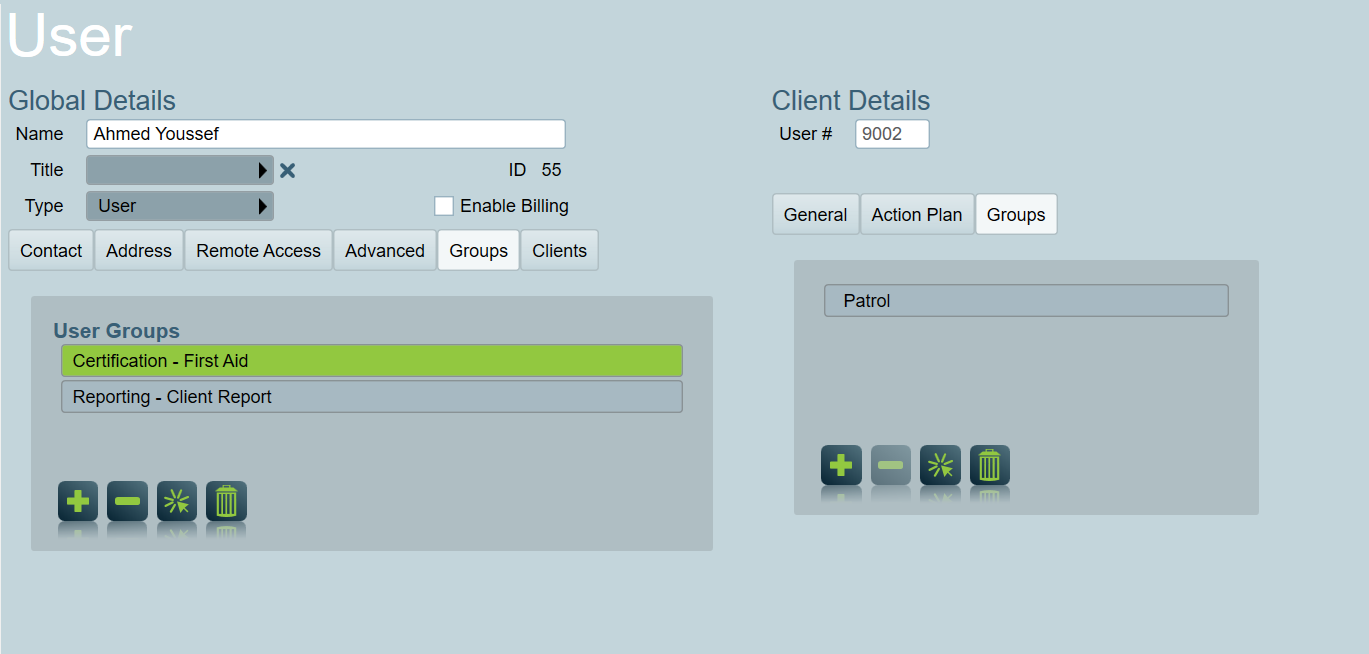
User Groupings can now be assigned to a user on a specific client, not just globally. This gives greater flexibility to support users assigned to multiple clients with client specific response and reporting requirements.
E.g. a user assigned to both a residential and a commercial client can be given a reporting group on the residential client only, so they receive its monthly reports but not the commercial client's. The same user can be given a response group on the commercial client only, so they receive text notifications for commercial alarms but not residential ones.
Assign groupings to a user on a specific client from the 'Groups' tab of the user's Client Details.
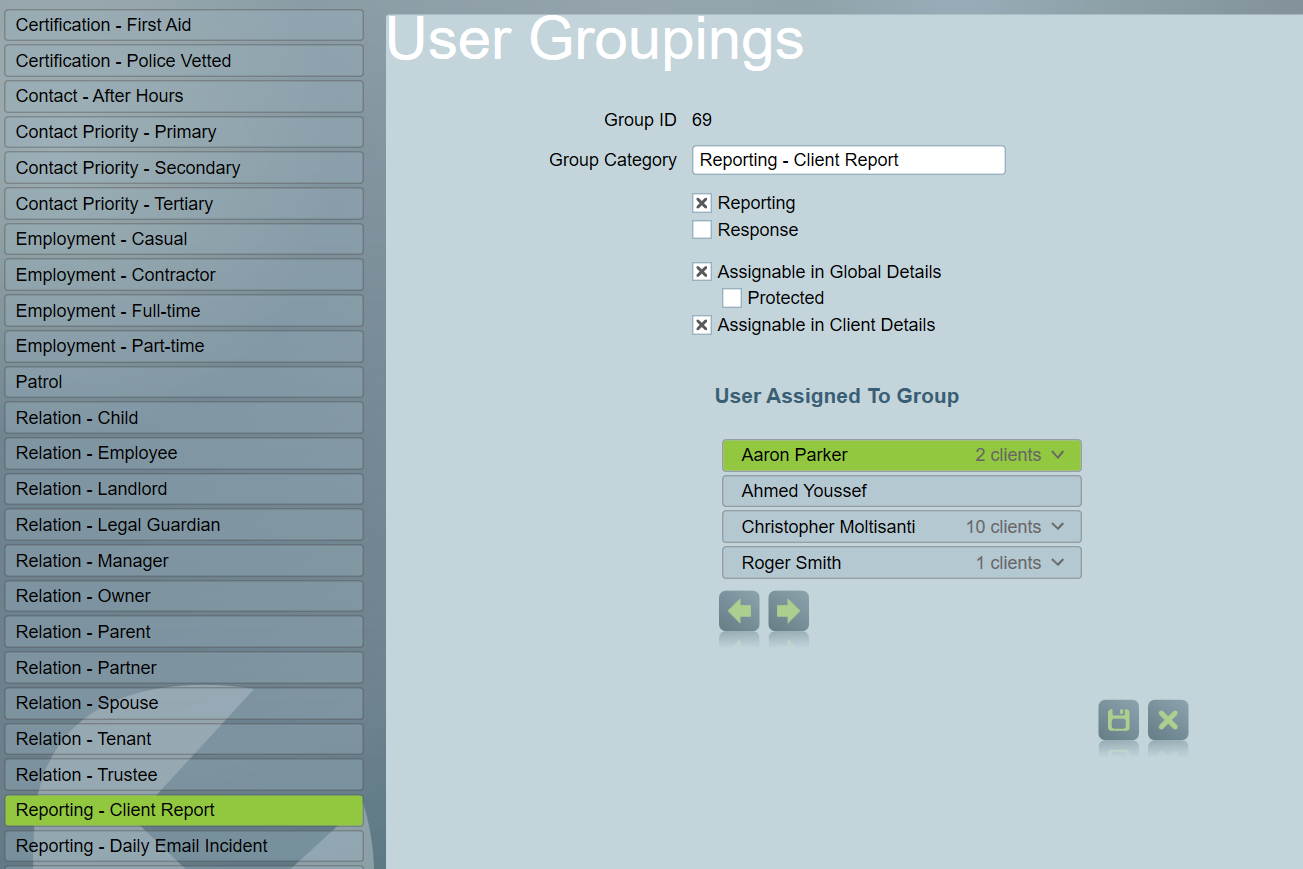
A grouping's configuration controls whether it can be assigned globally, per client, or both.
Other Improvements
- Added multi-select and select-all to assignment lists throughout the Desktop Client.
- Added support for BLE location data from Eview EV-07B devices.
- Added OpenTelemetry metrics for Data Service operation request and response sizes.
- Improved client data import performance for large imports, and added per-stage timing to the import results log.
- Desktop client authorization enhancements.
- Improved the user and customer selector on ICA Work Orders.
- Separated the Location string resource so the Contact tab heading, the Maintenance tab panel location and the Map tab title can each be translated independently. Sites using custom translations will need to translate the new resources. Read the docs
- Updated the Patriot installer toolset.
- Fixed Windows legacy application compatibility behaviour in the Desktop Client.
- Fixed an error when sending a message to a response user from an activation created by a Log Note.
- Fixed By Zone signal interpreters not resolving zones correctly when a client alias was used.
- Fixed GuardLink job sync failures when custom form field values exceeded Patriot limits.
- Fixed the Handover Notes view displaying CRM fields when CRM logging is not enabled.
- Fixed an issue in the Desktop Client where group types that allow multiple assignments were not always visible.
- Fixed an issue where the Task Service could fail to shut down cleanly while a Network Video Stream task was running.
Visit Patriot Downloads to update.