Patriot Admin Tools
The Patriot Admin Tools can be used to manage and configure the installed Patriot components.
Overview
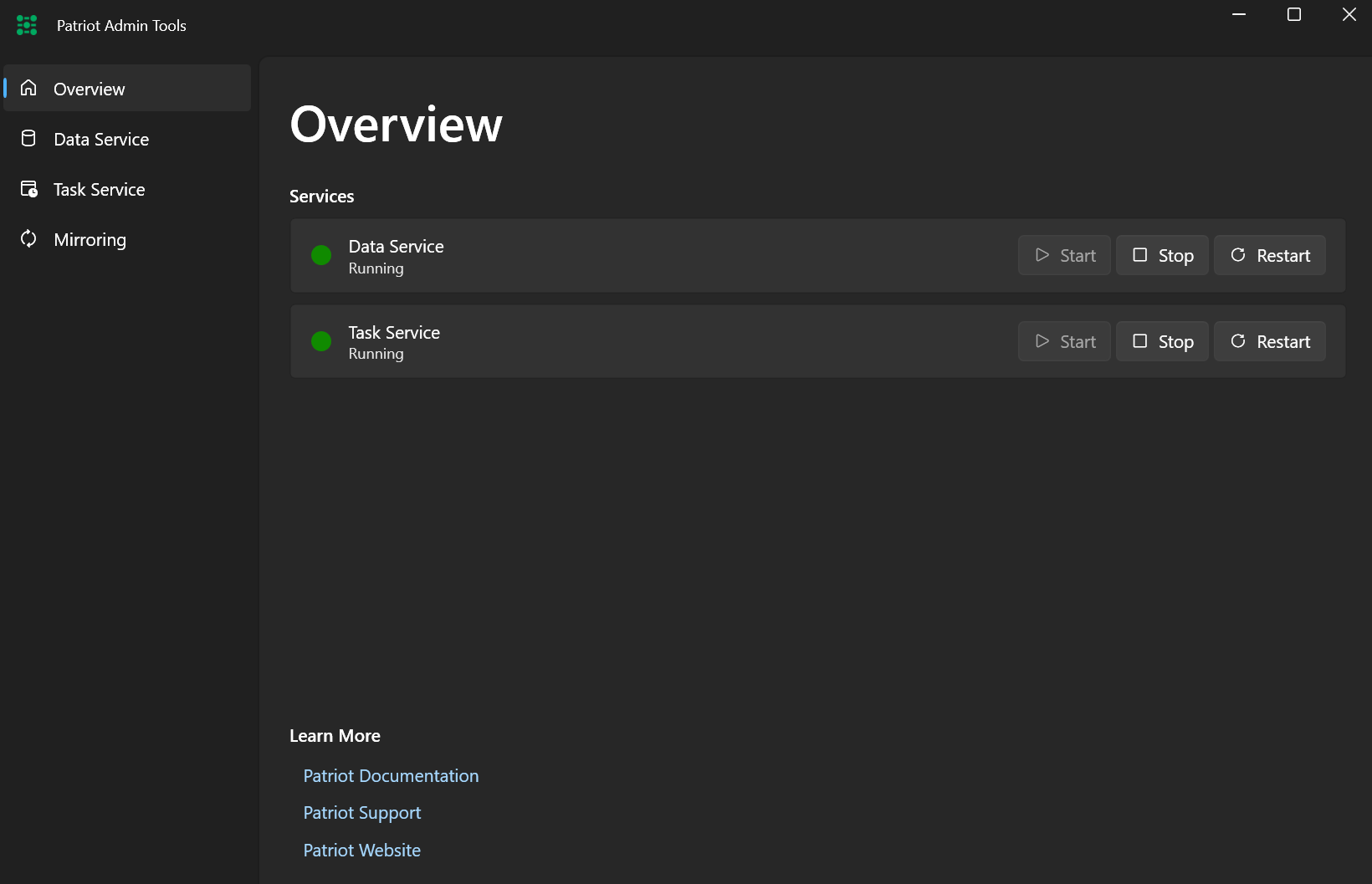
The Overview tab shows the current system status, and allows controlling the services.
Service Details
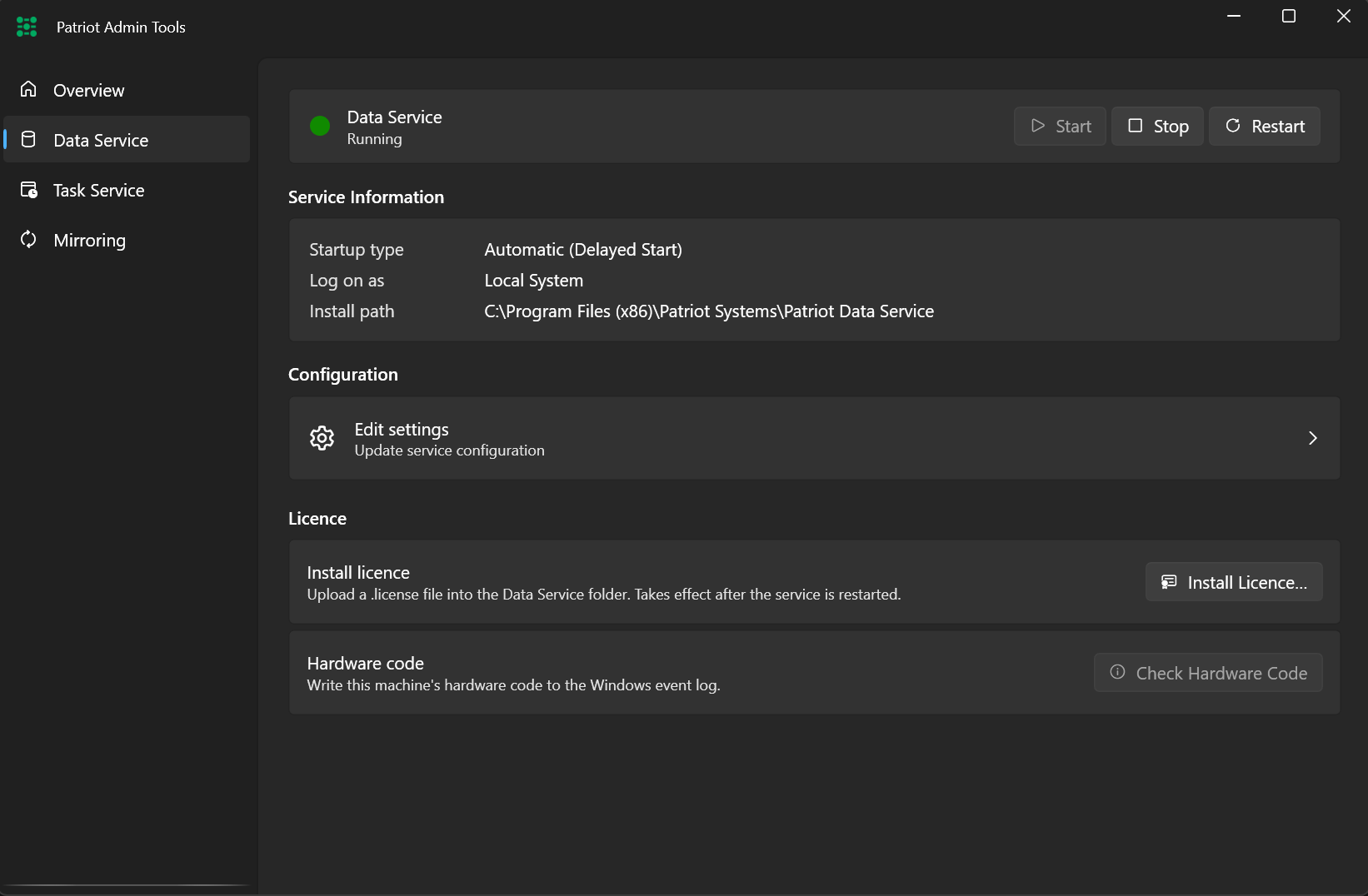
The tab for each service shows detailed information about the respective service.
Actions
Service actions such as installing new license files can be performed directly from the service detail page.
Configuration
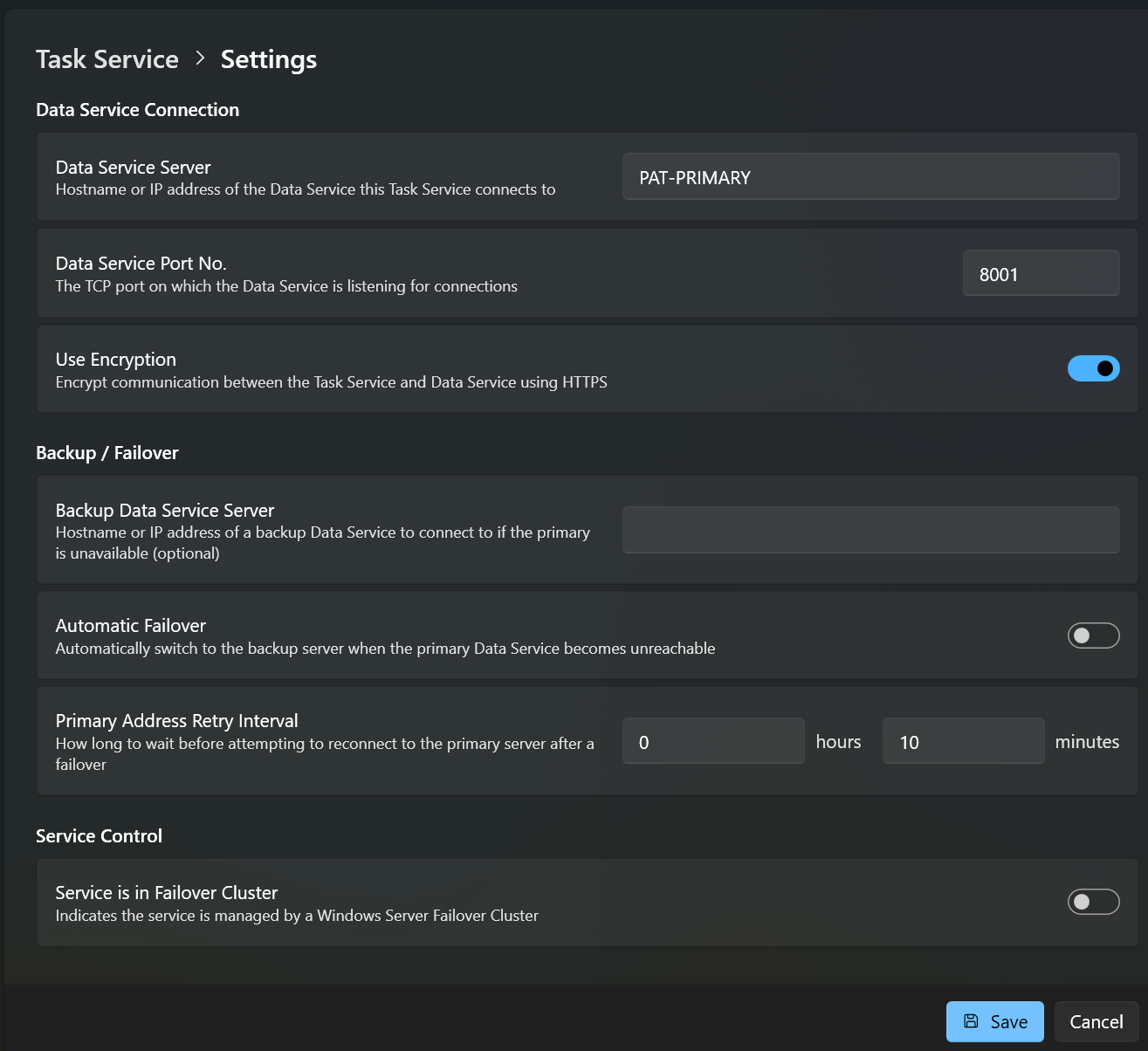
Configuration can be updated for each service from within the detail page. Most settings will only apply after restarting the service.
High Availability
When the Patriot services are managed by a high availability cluster, they should only be started/stopped by the Windows Failover Cluster Manager. Patriot Admin tools has a setting for each service: Service is in Failover Cluster, which hides the service control actions and replaces them with a link to the Cluster Manager tool.