User Groupings
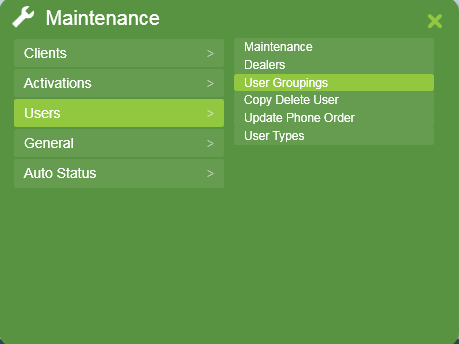
User groups are a filtering tool in Patriot to facilitate easy selection of users. They are created and configured in the Maintenance > Users > User Groupings screen.
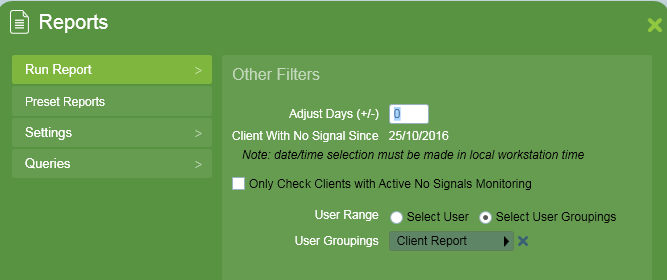
By separating users into groups you make it easier to select the correct users, especially when you have very large numbers. In particular User Groupings are useful for Patriot's reporting functionality. Reports done By User can be defined against a User Grouping instead of specific users, allowing multiple users to be selected and compared.
Group settings
The maintenance screen lists every User Grouping. From here you can add and remove groups, edit a group's settings, and view the users assigned to it.
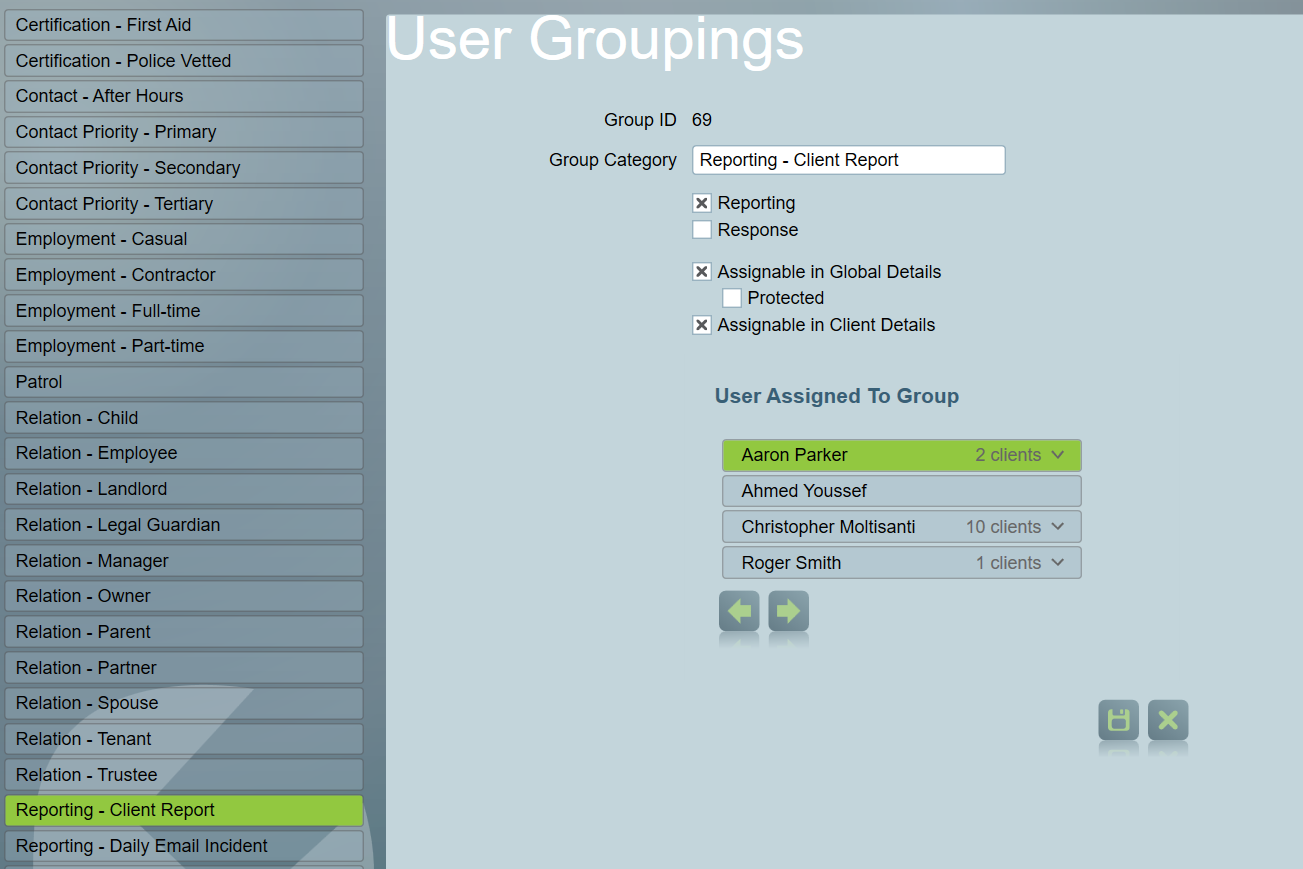
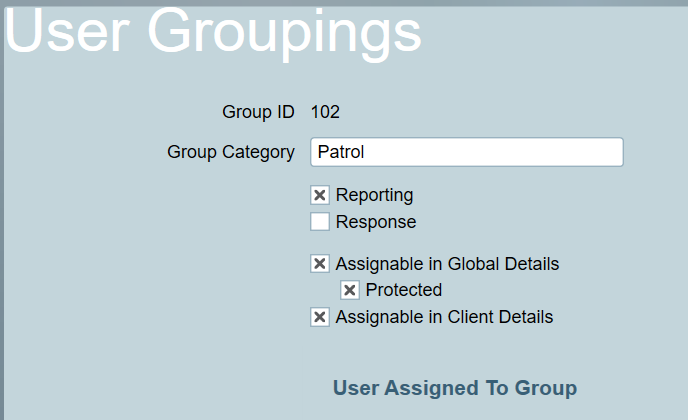
Each grouping has the following options, set with a checkbox each:
- Reporting — the grouping can be targeted by By User reports.
- Response — the grouping can be added to Response Plans (see below).
- Assignable in Global Details — the grouping can be assigned to a user across all of their sites, on the user's Groups tab. The Protected option (see below) is dependent on this one.
- Assignable in Client Details — the grouping can be assigned to a user on a specific site only, on the Groups tab of the user's Client Details.
A grouping can have any combination of these flags checked.
Assigning groups
A user can be in any number of groupings.
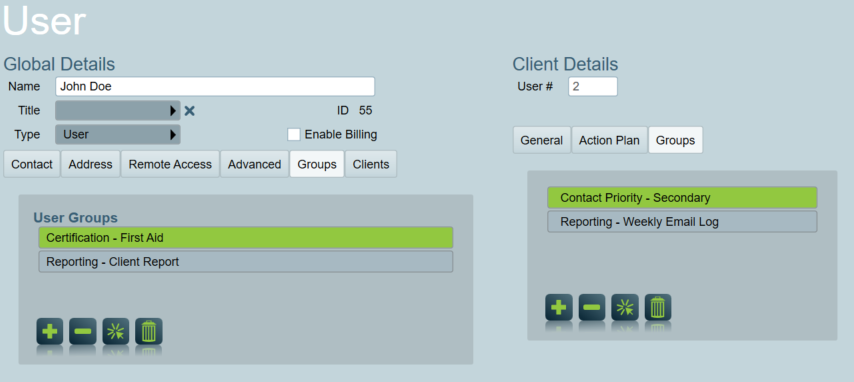
Assigning a user to a group from the 'Groups' tab of their Global Details will apply it to the user across all of their clients. Only groupings marked Assignable in Global Details are listed here.
Alternatively, to link a grouping to a user on one particular site only, assign it via the 'Groups' tab of a user's Client Details. Only groupings marked Assignable in Client Details are listed here. This is useful for recording a user's relationship to a client (for example Owner or Keyholder), or for giving the same user different reporting or response groups on different sites without having to duplicate the user record.
Protected option for User Groupings
Users can be protected from view/edit by ICA users with the Protected Users security right by assigning a User Grouping with the Protected option checked or to a User Grouping that is listed under Protected User Groupings. The Protected option is only available on groupings marked Assignable in Global Details. Note that a similar setting also exists for User Types. See Global User Protection for more information.
Response option for User Groupings
Groupings marked Response can be added into Response Plans. This allows you to give users one or many groupings to control when they show in Response Lists during activation responses, or to send them Automatic Messages or First Response Notifications.
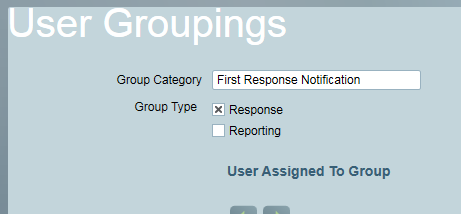
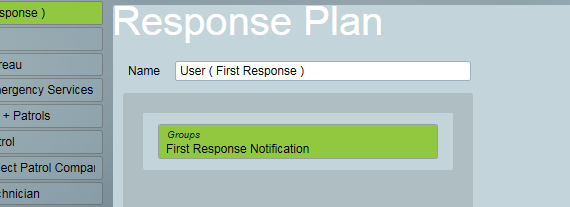
A tutorial on Response type User Groupings can be found in the tutorials section or accessed via the link below:
First Response User Grouping tutorial